---
title: How to enable debug logs
description: Enable debug logs for each SuperTokens component to troubleshoot your integration.
sidebar:
order: 2
---
## Backend logs
:::note[This is only available on versions:]
- SuperTokens-node >= v9.1.2
- SuperTokens-golang >= v0.5.5
- SuperTokens-python >= v0.6.3
:::
Our backend SDK provides useful logs that can help with debugging.
To enable logging, you need to set the debug setting to `true` in the `init` function call:
```tsx
import supertokens from "supertokens-node";
supertokens.init({
debug: true,
supertokens: {
connectionURI: "...",
},
appInfo: {
apiDomain: "...",
appName: "...",
websiteDomain: "...",
},
recipeList: [
/*...*/
],
});
```
```go
import "github.com/supertokens/supertokens-golang/supertokens"
func main() {
supertokens.Init(supertokens.TypeInput{
Debug: true,
Supertokens: &supertokens.ConnectionInfo{
ConnectionURI: "...",
APIKey: "...",
},
})
}
```
```python
from supertokens_python import init, InputAppInfo, SupertokensConfig
init(
debug=True,
app_info=InputAppInfo(api_domain="...", app_name="...", website_domain="..."),
supertokens_config=SupertokensConfig(
connection_uri='...',
api_key='...'
),
framework='flask',
recipe_list=[
#...
]
)
```
Logs on your terminal have the following shape:
```bash
com.supertokens {"t": "2022-04-09T08:44:49.057Z", "sdkVer": "...", "message": "Started SuperTokens with debug logging (supertokens.init called)", "file": "..."}
```
- `t`: The time the log generated
- `sdkVer`: Version of the SDK you are using
- `message`: The log message
- `file`: The file and line number from where this log originated.
## Frontend logs
Add `enableDebugLogs` when calling the `init` function:
You need to make changes to the auth route configuration, as well as to the `supertokens-web-js` SDK configuration at the root of your application:
```tsx check=false reason="initialization excerpt omits required application and recipe configuration"
import React from "react";
import SuperTokens from "supertokens-auth-react";
SuperTokens.init({
enableDebugLogs: true,
appInfo: {
/*...*/
},
recipeList: [
/*...*/
],
});
```
```tsx check=false reason="Angular auth route provides the pre-built UI global at runtime"
// this goes in the auth route config of your frontend app (once the pre-built UI script has been loaded)
supertokensUIInit({
enableDebugLogs: true,
appInfo: {
/*...*/
},
recipeList: [
/*...*/
],
});
```
This change goes in the `supertokens-web-js` SDK configuration at the root of your application:
```tsx
import SuperTokens from "supertokens-web-js";
import Session from "supertokens-web-js/recipe/session";
SuperTokens.init({
appInfo: {
apiDomain: "...",
appName: "...",
},
recipeList: [Session.init()],
enableDebugLogs: true,
});
```
:::warning[Debug logs feature not yet available for Android]
:::
:::warning[Debug logs feature not yet available for iOS]
:::
```tsx
import SuperTokens from "supertokens-web-js";
import Session from "supertokens-web-js/recipe/session";
SuperTokens.init({
appInfo: {
apiDomain: "...",
appName: "...",
},
recipeList: [Session.init()],
enableDebugLogs: true,
});
```
```tsx check=false reason="script-tag installation provides SuperTokens globals at runtime"
supertokens.init({
appInfo: {
apiDomain: "...",
appName: "...",
},
recipeList: [supertokensSession.init()],
enableDebugLogs: true,
});
```
```tsx
import SuperTokens from "supertokens-react-native";
SuperTokens.init({
apiDomain: "...",
enableDebugLogs: true,
});
```
```dart
import 'package:supertokens_flutter/supertokens.dart';
void main() {
SuperTokens.init(apiDomain: "...", enableDebugLogs: true);
}
```
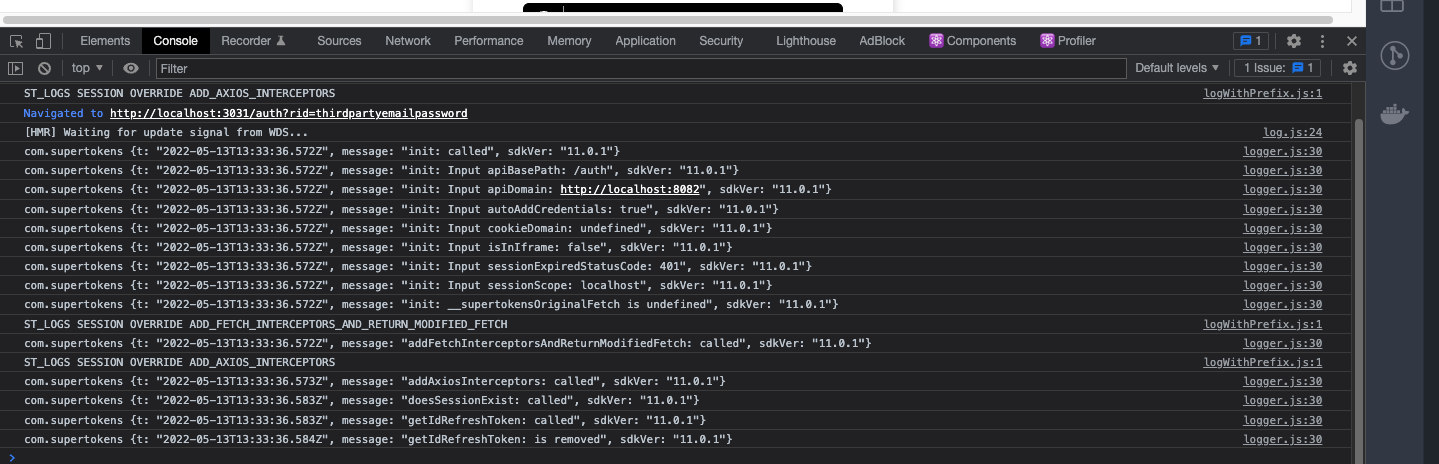
The above prints out SuperTokens debug log on the browser console:
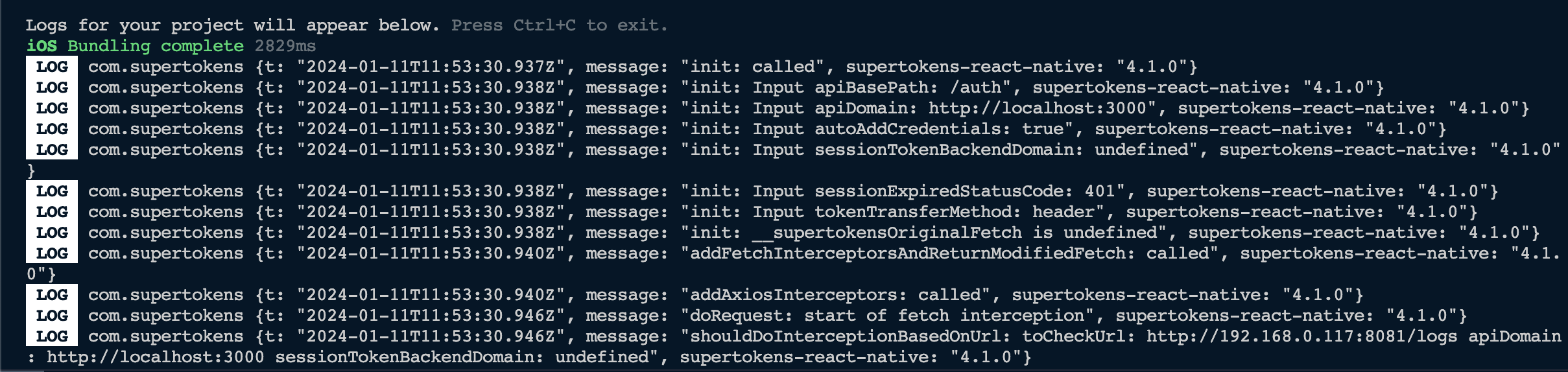
 The above prints out SuperTokens debug logs on the terminal if you're using the React Native CLI or Expo:
 The above prints out SuperTokens debug logs on the terminal:
 ## SuperTokens core logs
If you want to change the log levels, you can set the core's `log_level` configuration to reflect this:
- `DEBUG`: Prints out all the log levels
- `INFO`: Prints out `INFO`, `WARN` and `ERROR` levels
- `WARN`: Prints out `WARN` and `ERROR` levels
- `ERROR` Prints out `ERROR` levels
- `NONE`: No logs output
By default, the core prints out `INFO`, `WARN`, and `ERROR` logs.
```bash
docker run \
-p 3567:3567 \
-e LOG_LEVEL=DEBUG \
-d supertokens/supertokens-
```
```yaml
# You need to add the following to the config.yaml file.
# The file path can be found by running the "supertokens --help" command
log_level: "DEBUG"
```
## SuperTokens core logs
If you want to change the log levels, you can set the core's `log_level` configuration to reflect this:
- `DEBUG`: Prints out all the log levels
- `INFO`: Prints out `INFO`, `WARN` and `ERROR` levels
- `WARN`: Prints out `WARN` and `ERROR` levels
- `ERROR` Prints out `ERROR` levels
- `NONE`: No logs output
By default, the core prints out `INFO`, `WARN`, and `ERROR` logs.
```bash
docker run \
-p 3567:3567 \
-e LOG_LEVEL=DEBUG \
-d supertokens/supertokens-
```
```yaml
# You need to add the following to the config.yaml file.
# The file path can be found by running the "supertokens --help" command
log_level: "DEBUG"
```